How to withdraw skins from CS2 case sites
Winning a skin on a case site is the easy part. Getting it into your Steam inventory, or turning it into cash, is where most player complaints start. This guide walks through the Steam settings you need, the rules each site sets before the first withdrawal, and the traps that stop a skin from leaving.
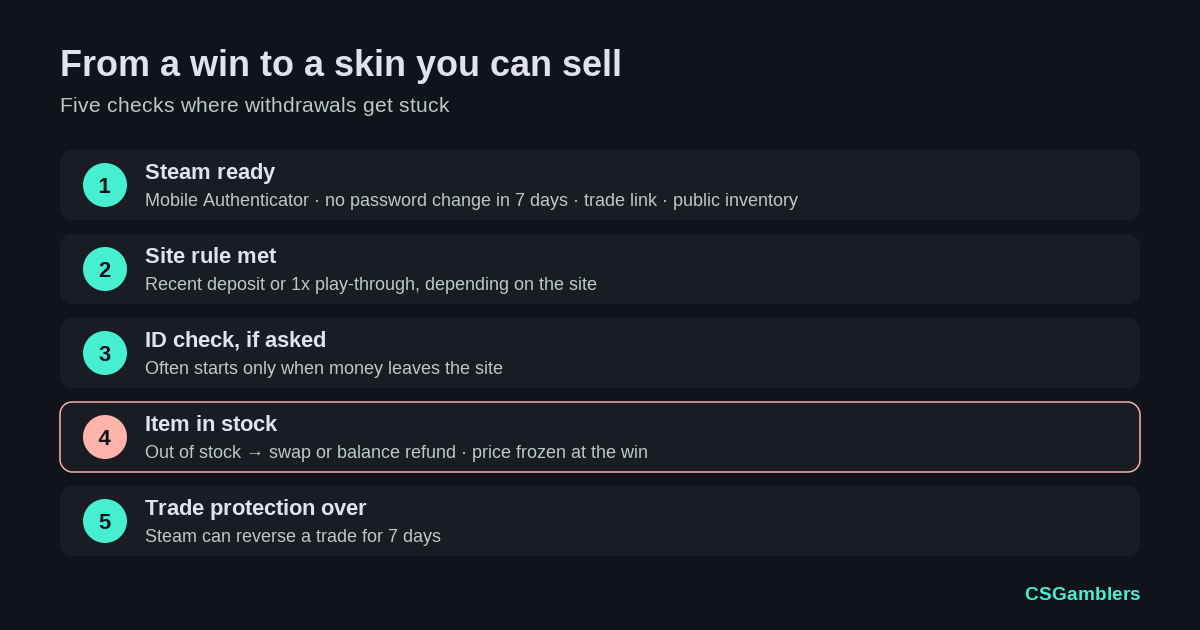
1. Get your Steam account ready
Skins leave a case site through a Steam trade, usually from the site’s bot or from another player. Steam has to allow that trade. The sites list the same basics:
- Tradable account with no trade ban. Skin.Club and Hellcase both state this (Skin.Club FAQ).
- Steam Guard Mobile Authenticator. Without it, Steam holds trades. Clash.gg asks for the authenticator to be active for 15 days or more (Clash.gg FAQ).
- No recent password change. Skin.Club and Hellcase ask for 7 days since the last password change.
- A valid trade link and a public inventory. Copy the trade link from Steam into the site’s profile. If you signed up with Google instead of Steam, Skin.Club asks you to add the trade link by hand (Skin.Club guide).
Set this up before you deposit. A trade that fails on settings can leave your item waiting on the site.
2. Meet the site’s first-withdrawal rule
Many sites will not release anything until you have deposited or played through your balance. These rules are often in the terms, not on the withdrawal button.
| Site | Rule before withdrawing | ID check (KYC) | Balance expiry |
|---|---|---|---|
| CSGOEmpire | Skins: none. Crypto: wager cash deposits 1x | Usually after 4,500 coins withdrawn in crypto | None found |
| CaseBattles | 5 gems of real deposits, including 5 in the last 7 days | None for skins, one-time ID for crypto | Free gems in 7 days; account closed after 12 months without login |
| Clash.gg | Balance played through 1x | Crypto cash-out after a card or bank deposit | Account can be closed after 180 days inactive |
| Skin.Club | No deposit rule published | Age check by ID; more on suspicious activity | None in the terms |
| CSGORoll | No deposit rule; daily limit of 1,000 coins over that day’s purchases | Required for every withdrawal | Roll Chips removed after 60+ days inactive |
| Hellcase | A deposit of a set amount first | At Hellcase’s discretion | $10 a month after a year without purchases |
| Key-Drop | Not published | Not stated by Key-Drop | Not published |
| Gamdom | Every deposit wagered 1x | On request, often at withdrawal | None found |
Two rules deserve a closer look:
- Recent deposit rules reset. On CaseBattles the 5 gems have to include deposits in the last 7 days, so a deposit from last month does not count.
- Play-through rules count balance, not wins. On Clash.gg and Gamdom you have to bet the deposited amount once before it can go out.
3. Expect an ID check when money leaves
Most sites let you play without an ID check and ask for one when you try to cash out. That is when accounts get stuck.
- CSGORoll says winnings are not final until verification is complete, and every withdrawal needs it (withdrawal terms).
- CSGOEmpire usually checks after 4,500 coins withdrawn in crypto, earlier if its security systems flag the account (KYC checks).
- Gamdom can pause withdrawals until checks finish, up to proof of funds on request (KYC article).
- Clash.gg needs ID for crypto cash-outs that come from card or bank deposits.
If you will not share ID with a site, find out its rule before you deposit, not after a win.
4. Watch for out-of-stock swaps and price freezes
A site that holds its own stock of skins can run out of the item you won. What happens next varies:
- Key-Drop offers an exchange of similar value when an item is briefly unavailable (Key-Drop FAQ). Players also report a price freeze: the item’s value is fixed at the moment of the win, and if the market moves up, the skin becomes unavailable.
- Hellcase turns unwithdrawn drops into balance after a set number of days, and players report being pushed to swap or take balance.
- CSGORoll refunds the value of an undeliverable item to your balance instead of swapping it (withdrawal terms).
- CaseBattles says out-of-stock items cause delays (FAQ).
Balance on the site is not a skin in your inventory. Every swap back into balance is another chance to spend it on the next case.
5. Wait out Steam trade protection
Steam can reverse a trade for 7 days after it happens. On sites where skins come from other players, this affects both sides:
- CSGORoll locks received items for 7 days, and the sender can reverse the trade in that time. Coins stay with the depositor until the protection ends (trade protection).
- CSGOEmpire holds seller payouts for up to 8 days for the same reason (trade protection update).
Plan for a week before a withdrawn skin is fully yours to sell.
6. Do not leave a balance sitting
Several sites take or freeze idle balances. Hellcase charges $10 a month after a year without purchases. CSGORoll can remove Chips after 60 days. Clash.gg can close accounts inactive for 180 days. Withdraw what you want to keep instead of storing it on the site.
Quick checklist
- Mobile Authenticator on, no recent password change, trade link saved, inventory public.
- Read the site’s first-withdrawal rule before depositing.
- Know when the site asks for ID.
- Withdraw soon after a win, before prices move or stock runs out.
- Count 7 days of trade protection before you sell.
Our reviews list these rules for each site, and the rankings score sites on how hard it is to get money out.
FAQ
Why can’t I withdraw my skin from a case site?
The usual reasons are a Steam setting (no Mobile Authenticator, recent password change, private inventory), an unmet deposit or play-through rule, a pending ID check, or the item being out of stock. The site’s help pages list its own rule.
Do I need to deposit before withdrawing?
On some sites, yes. CaseBattles needs 5 gems of real deposits in the last 7 days and Hellcase needs a deposit of a set amount. CSGOEmpire lets you withdraw skins without wagering.
How long does a skin withdrawal take?
The trade itself can arrive in minutes, but Steam trade protection lets trades be reversed for 7 days. P2P sites like CSGORoll and CSGOEmpire hold coins or payouts until that period ends.
Sources (17)
- https://skin.club/en/faq
- https://community.skin.club/en/articles/how-to-withdraw-a-skin
- https://web.archive.org/web/20260503145134/https://clash.gg/tos
- https://web.archive.org/web/20260722055510/https://clash.gg/questions
- https://casebattles.gg/faq
- https://casebattles.gg/tos
- https://help.csgoempire.com/en/articles/5366975-do-i-need-to-wager-to-withdraw-counter-strike-skins
- https://help.csgoempire.com/en/articles/5366986-do-i-need-to-wager-to-withdraw-crypto
- https://help.csgoempire.com/en/articles/5349729-kyc-checks
- https://help.csgoempire.com/en/articles/11792613-trade-protection-update
- https://intercom.help/csgoroll/en/articles/6816839-withdrawal-terms
- https://intercom.help/csgoroll/en/articles/12800174-withdrawal-limits
- https://intercom.help/csgoroll/en/articles/12033739
- https://web.archive.org/web/20261106161222/https://hellcase.com/js/lang/en.json
- https://key-drop.com/en/
- https://gamdom.com/help/terms
- https://help.gamdom.com/en/articles/13250444-when-why-do-i-need-to-verify-my-account-kyc